In this Windows tutorial we are going to set up Radarr with the program SABnzbd. To automatically download movies from the newsgroups.
We are going to set up Media management. We do this so that movie files are renamed to the correct names.
In Radarr, go to Settings.
Then to the tablad Media management.
Turn on Advance settings here.
Put this reassumption on. And take over below.
Standard Movie Format {Movie Title} ({Release Year}) {Quality Full}
Movie Folder Format {Movie Title} ({Release Year})
Import Extra Files On.
Extra File Extensions srt, nfo
Turn on Igonre Deleted Movies
Now click Save at the top right.
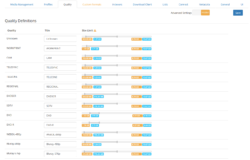
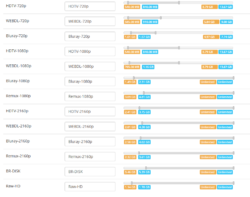
We are going to set up a profile so that the desired quality movies are downloaded. Radarr already has reasonably good profiles as standard.
We’re going to the tablad Profiles.
I’m going to edit one.
Preferred Tags here you enter x264 . And possibly x265. If your device supports x265 files. Or divx and xvid if you still have an old device.
Here you can set the minimum size of certain files. I recommend that you set this up. This means you download less junk. Of course it also depends on your Newznab provider. But sometimes things can go wrong even if you have a good Newznab provider.
The above are my settings. If you download animation movies. Then you may have to set it a little less strict. Because animation films are always a bit smaller.
You have to set up an indexer so that Radarr knows where to download the desired nzb file from. The more you add, the more likely your movie will be found.
On the Indexerstab, go to the Indexers tab.
Click Plus .
Choose Newznab.
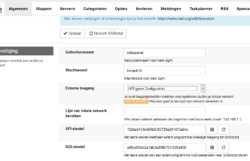
Here you have to enter the details of your Newznab provider.
See here a NewzNab server list.
To get good results. Need your VIP Newnznab provider.
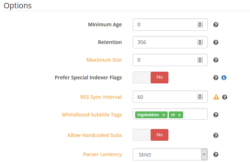
Specifies the following at Whitelist subtitle tags Ingrained NL.
Unless you don’t want movies with ingrained Dutch subtitles. Then just fill out NL.
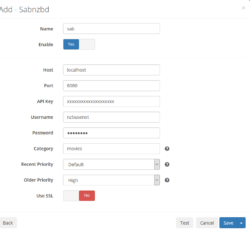
We are now going to set up the connection to SABNzbd. So that SABnzbd can download the desired movie from the newsgroups.
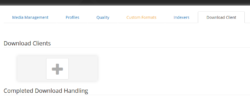
Go to the Tablad download client.
Choose the Plus.
Now choose SABZnbd.
This data is different for everyone. In the explanation below you can find the SABnzbd API that you need for the above screen.
In SABnzbd, go to Settings.
Go to the tablad General.
See the API key here.
This Api key is different for everyone.
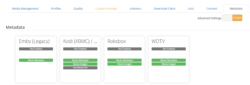
You can skip this step if not necessary. If you use this, covers will be downloaded for your films, for example.
Go to the metadata journal
For example, choose Kodi. Or any other service if you use it.
Turn on the check mark Of Enable. And click Save.
This was the tutorial to setting up Radarr Windows with SABNzbd.
It may happen that a Usenet download does not come in completely. You try to…
House-of-Usenet.com is a popular German-language Usenet forum where members can find NZB files for downloading…
Usenet-4all.pw is a predominantly German-language Usenet forum focused on sharing and finding NZB files. Using…
Sky-of-Use is a German-language Usenet forum where users can find NZB files to download content…
PublicDomainTorrents is a website entirely dedicated to films in the public domain. This means that…
In this Anonynews Usenet review, we look at the key features, performance, and costs of…
Deze website gebruikt cookies.