

The term “best newsreader” is often used, but rarely explained properly. Because what constitutes “the best” depends entirely on how you use Usenet. Do you only download NZB files? Do you want to automate everything? Or do you still actively read and post in newsgroups?
In this article, we’ll delve deeper into the functionality of each newsreader. Not just what they are, but also what you can actually do with them, including their strengths and weaknesses. We’ll distinguish between Windows, macOS, and Linux, and between download-oriented newsreaders and traditional readers.
Software covered:
Newsleecher, SABnzbd, NZBGet, Binreader, newslazer, Hogwasher, Binbot, NZBVortex, Unison and PAN Newsreader.
Two types of newsreaders: important distinctions
1. Download-oriented newsreaders
These work with NZB files and are intended for binaries (movies, TV shows, software).
Features:
- Automatic download
- PAR2 repair
- Unpack (RAR)
- Queue management
- Often used as a home environment
2. Classic newsreaders
These are aimed at:
- Reading groups of texts.
- Download headers.
- Threading and filtering.
- Post messages.
Not every newsreader can do both well. This explains many “disappointments” among new users.
Windows Newsreaders – An In-Depth Look
SABnzbd – complete Usenet Home environment
Type: NZB downloader / automation
SABnzbd isn’t a traditional newsreader, but a complete download platform. You use it through your browser, making it ideal as a centralized home solution.
What can you do with it?
- NZB-bestanden automatisch downloaden.
- Check and repair PAR2 files.
- Automatically extract files.
- Assign priorities per download.
- Set speed limits by time.
- Run scripts after download (sort, move)
- Connect to indexers and external tools.
Strengths
- Very stable with large download queues.
- Suitable for 24/7 use.
- Perfect for servers and NAS.
- Lots of control over every step.
- Automatically download from newsgroups such as Radarr and Sonarr.
Weaknesses
- Not intended for reading newsgroups.
- Can be overwhelming for beginners.
Best for: Heavy Usenet users who want to automate everything.
NZBGet – maximum performance and efficiency
Type: NZB downloader
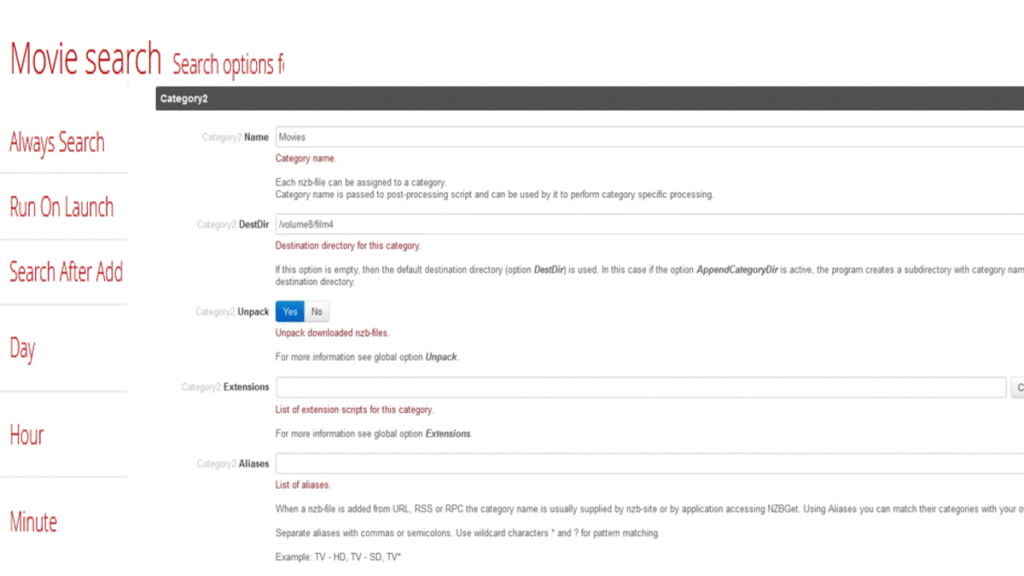
NZBGet focuses entirely on speed and a low system footprint. It’s especially popular on systems where SABnzbd is too heavy.
What can you do with it?
- Processing NZB downloads
- Perform PAR2 checks
- Extract files
- Using scripts for post-processing
- Using scripts for post-processing
- Automatically download from newsgroups such as Radarr and Sonarr.
Strengths
- Very low CPU and RAM consumption
- Ideal for NAS, VPS and small servers
- Fast with large downloads.
Weaknesses
- Interface is functional, not user-friendly
- Less expandable than SABnzbd
Suitable for: Advanced users who prioritize performance over comfort.
Newsleecher – all-in-one Windows solution

Type: Downloader + search functionality
Newsleecher is one of the few Windows newsreaders that combines search, download, and management in one program.
What can you do with it?
- Download NZB files.
- Search directly via Newsleecher Super Search
- Retrieving headers.
- Manage download history.
- Automatically repair and extract files.
Newsleecher Super Search
This is a key differentiator:
- Search directly within Usenet.
- No separate indexer needed.
- Results instantly downloadable.
- Useful for users who don’t want to use external NZB sites.
Strengths
- All in one Windows program
- Super Search saves time.
- Clear interface.
Weaknesses
- Some functions are paid. Previously, they were fully paid.
- Less flexible than web-based solutions.
- Less suitable for headless systems.
- Can’t unpack everything at once.
Best for: Windows users who want a single, complete program without any extra tools. See the Newsleecher tutorial for more information.
Binreader – eenvoudig en laagdrempelig

Type: Basic newsreader/downloader
Binreader is a classic, no-nonsense Windows program.
What can you do with it?
- Opening NZB files.
- View headers.
- Download files.
- View basic previews.
Strengths
- Very easy to use.
- No complicated settings.
- Free.
Weaknesses
- No automation.
- Not suitable for large download volumes.
Suitable for: occasional Usenet use. See the Binreader tutorial for more information.
macOS newsreaders – functionally explained
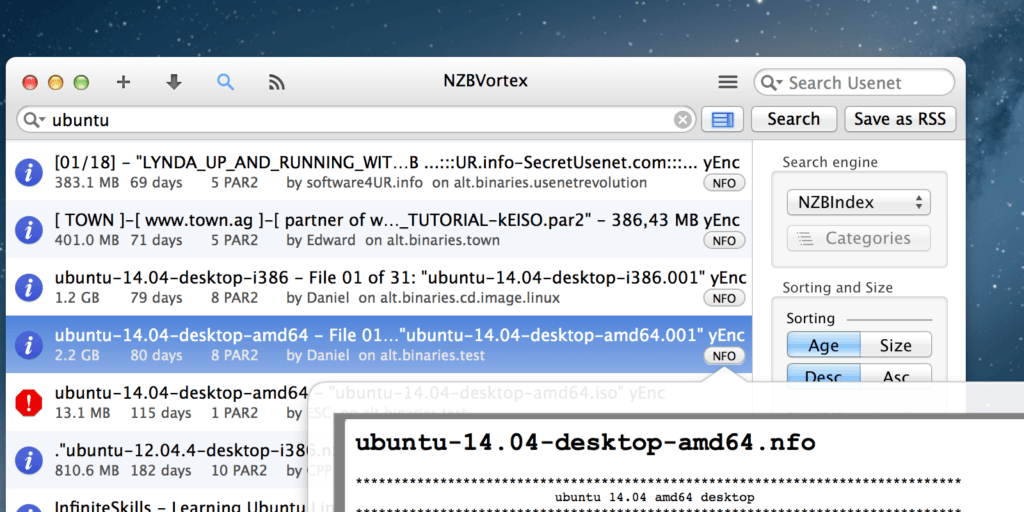
NZBVortex – mac OS-focused best newsreader downloader
Type: NZB downloader
NZBVortex is designed for users who don’t want to run a server, but want to download locally.
What can you do with it?
- Manage NZB downloads
- Automatic repair and unpack
- Multiple downloads at once
- Manage Queue
Strengths
- Native macOS interface
- Fast and stable
- Low learning curve
Weaknesses
- Paid
- Less advanced than SABnzbd
Unison – Reading Classic Newsgroups
Type: Newsreader (text groups)
Unison is focused on Usenet as it was once intended.
What can you do with it?
- Reading text groups
- Post messages
- Apply threading
- Set filters per group
Strengths
- Very clear
- Ideal for discussions
- Good moderation options
Weaknesses
- No NZB downloads
- No more new updates. It used to be paid, but it’s now free to download.
Hogwasher – legacy reader
Type: Classic newsreader
Hogwasher is especially interesting for those used to old Usenet structures.
What can you do with it?
- Manage headers
- Creating filters
- Read and post messages
Weaknesses
- Less actively developed
- Limited support for modern Usenet workflows
Linux Best Newsreaders
PAN Newsreader – control over newsgroups
Type: Classic newsreader
PAN is one of the most complete text newsreaders for Linux.
What can you do with it?
- Download large numbers of headers
- Apply threading
- Set filters per group
- Post messages
Strengths
- Very suitable for active newsgroups
- Free
- Lightweight
Weaknesses
- No NZB downloads
- Outdated interface
Best Mobile News Reader & Connections: Binbot
Binbot
Type: NZB sender / automation
What can you do with it?
- Sending NZBs to your Home Downloader
- Start downloads remotely
Strengths
- Handy on the road
- Ideal in combination with SABnzbd or NZBGet
Weaknesses
- Not an independent newsreader
- Dependent on external software
Conclusion: which newsreader suits you best?
- Fully automatic download: SABnzbd
- Maximum efficiency: NZBGet
- Search + download in one app: Newsleecher
- macOS lokaal downloaden: NZBVortex
- Reading newsgroups: Unison / PAN Newsreader
- Easy to use: Binreader
The best newsreader is the one that suits your Usenet usage—not necessarily the most popular one. I recommend using SABnzbd or NZBGet, which work on any system through your web browser.


Be the first to comment